Turns your phone into a precise digital level with easy calibration for accurate measurements
Turns your phone into a precise digital level with easy calibration for accurate measurements
Vote (97 votes)
Program license Free
Developer iHandy Ltd.
Version 1.2.2
Works under Android
Vote
(97 votes)
Developer
iHandy Ltd.
Works under
Android
Program license
Free
Version
1.2.2
Pros
- Easy to use interface
- Accurate and reliable results
- Quick and straightforward calibration process
- Free to download and use
Cons
- Requires a flat surface for initial calibration
- Accuracy may vary based on the device used
The iHandy Level Free is a user-friendly and practical tool that transforms your Android device into a precise and portable level. This tool is particularly useful for carpentry tasks, allowing you to balance surfaces with precision, all from your mobile device.
Getting Started
The iHandy Level Free requires a quick and straightforward calibration process before it can be used. This process is a simple 5-step method which is explained in detail within the app.
1. Locate a flat surface to begin the calibration.
2. Position your device vertically, with the start button at the bottom. Place the back edge of your device on the surface, then press the calibrate option to initiate the calibration in normal mode.
3. Rotate your device 90 degrees clockwise. Bring it back to a vertical position with the new back edge on the flat surface. Press the calibrate button again to calibrate in horizontal mode.
4. Lastly, place the back of your device against the flat surface and press the calibrate button once more to calibrate it facing upwards.
5. With these steps completed, your device is fully ready for use.
Functionality and Performance
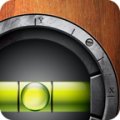
The iHandy Level Free app is designed to provide accurate and reliable results. It displays a virtual bubble within a horizontal bar, mimicking the physical tool that many are familiar with. The app responds promptly and accurately to the movements of your device, offering you real-time feedback.
User-Friendly Design
Boasting a clean and uncluttered interface, the iHandy Level Free is easy to navigate and use. Clear instructions guide you through the calibration process, making it straightforward even for first-time users. The app’s design and functionality make it a versatile tool, suitable for professionals in the field and DIY enthusiasts alike.
Conclusion
The iHandy Level Free is a practical and reliable tool that turns your mobile device into a precise level. Its user-friendly interface, combined with its accurate and responsive performance, make it a valuable addition to any toolbox.
Pros
- Easy to use interface
- Accurate and reliable results
- Quick and straightforward calibration process
- Free to download and use
Cons
- Requires a flat surface for initial calibration
- Accuracy may vary based on the device used